
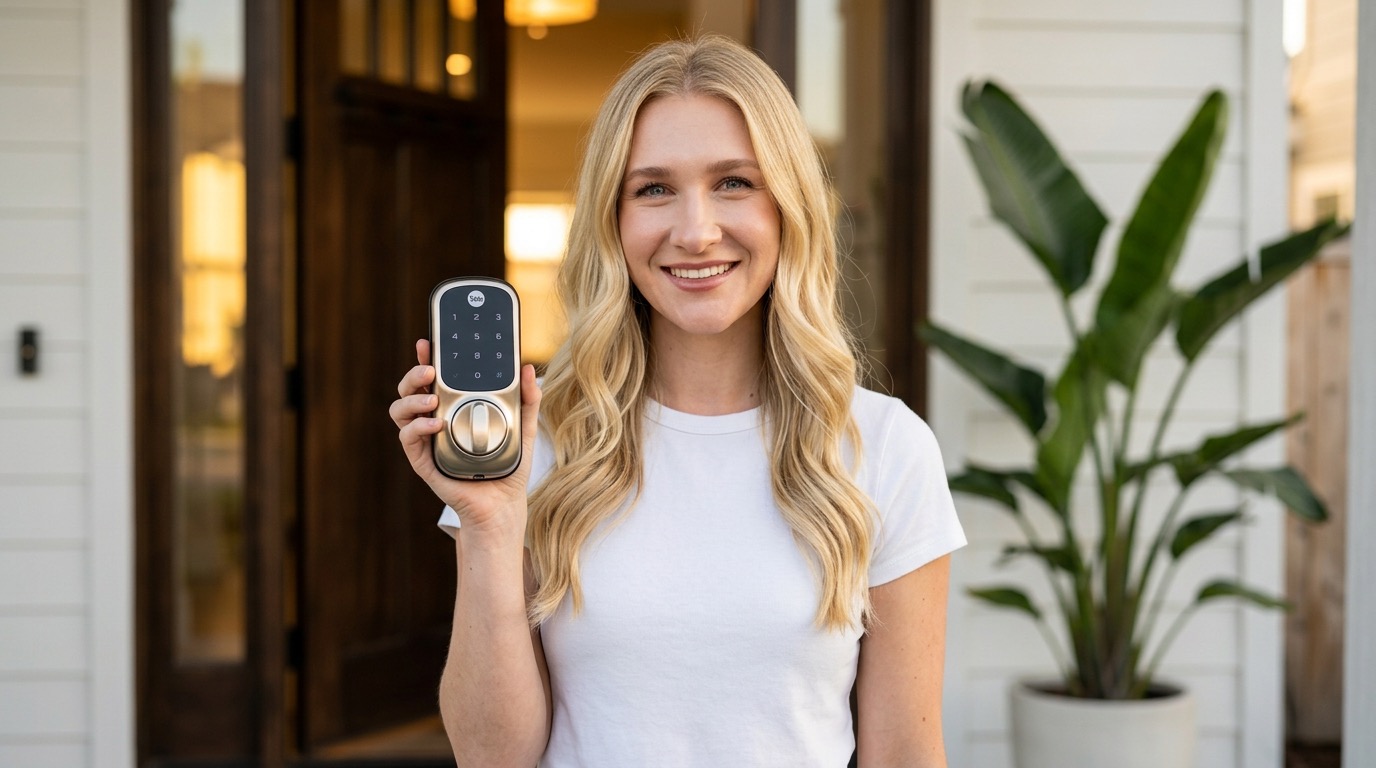
The Yale Assure Lock 2 is my go-to smart lock recommendation. Apple Home Key support means I just tap my iPhone or Apple Watch to unlock my door — no fumbling for keys, ever. The built-in Wi-Fi means no extra hub, Matter compatibility makes it future-proof, and the touchscreen keypad lets me give guests their own codes. At around $250 for the Wi-Fi version, it's a no-brainer upgrade for any smart home.
Why I Went with Yale
I tested a bunch of smart locks before settling on the Yale Assure Lock 2, and honestly? Nothing else came close for Apple users. The killer feature is Apple Home Key — I literally just hold my iPhone or Apple Watch near the lock and it unlocks. No app to open, no code to punch in. It works even when your phone is dead because it uses the NFC chip in your device's express transit reserve power. That blew my mind.
Yale has been making locks since 1868 — they're not some random startup. This lock is BHMA Grade 2 certified, which is the commercial-grade security standard. It feels solid, looks premium, and the touchscreen keypad is super responsive.
Setup & Compatibility
Installation took me about 15-20 minutes with just a screwdriver. It fits standard door preps, so you don't need to drill any new holes. The Yale Access app walks you through every step with video instructions — seriously couldn't be easier.
Here's where it gets really good: the Assure Lock 2 supports Matter, which means it works with Apple HomeKit, Google Home, Amazon Alexa, and Samsung SmartThings. I have mine set up in Apple Home, and I've created automations like:
- Auto-lock after 30 seconds — never worry about forgetting to lock up
- Lock when I leave home — geofencing triggers the lock when I drive away
- Unlock when I arrive — my door unlocks as I walk up to it
The Touchscreen Keypad
You can create up to 250 unique entry codes, which is amazing for Airbnb hosts or if you just have a lot of people coming and going. I have codes set up for my family, my dog walker, and my housekeeper — and I can set schedules so certain codes only work during specific hours. Plus, the backlit touchscreen is easy to see at night.
DoorSense — Know Your Door's Status
One of my favorite features is DoorSense, Yale's built-in door position sensor. It doesn't just tell you if the lock is locked — it tells you if the door is actually closed. So if someone doesn't pull the door all the way shut, you'll get a notification. This gives me so much peace of mind, especially when I'm traveling.
Battery Life & Design
The lock runs on 4 AA batteries and Yale says they'll last about 6-9 months depending on usage. With Wi-Fi enabled and pretty heavy daily use, I've been getting around 7 months, which is solid. And if the batteries die while you're out, there's a 9V backup terminal on the outside — just touch a 9V battery to it and you can unlock.
Design-wise, it comes in Satin Nickel, Oil Rubbed Bronze, and Black Suede. I went with Black Suede and it looks incredible on my front door. It's slim, modern, and way better looking than most smart locks on the market.
What I Love
- Apple Home Key — tap iPhone/Watch to unlock
- Matter support — works across all platforms
- Built-in Wi-Fi — no hub required
- Up to 250 unique entry codes with scheduling
- DoorSense tells you if the door is actually closed
- Auto-lock and geofencing automations
- Sleek design in 3 finishes
- Easy 15-20 minute installation
Worth Noting
- ~$250 for Wi-Fi version (premium pricing)
- Wi-Fi module drains batteries faster than Bluetooth-only
- Touchscreen can be finicky in heavy rain
- No built-in camera or video doorbell integration
Who Should Buy This
If you're in the Apple setup and want the most smooth smart lock experience, this is it. Apple Home Key alone is worth the price of admission. But even if you're on Google or Alexa, the Matter support and Yale Access app make it a great choice. If you're an Airbnb host, the 250 unique codes with scheduling is a big deal. Honestly, once you go keyless, you'll never go back.